Sender Help Center
  • Home
  • Pricing
  • Knowledgebase
  • Log In
  • Get Started
Menu
Sender Help Center
Close menu
Home Pricing Knowledgebase
Log In Get Started
Floating Floating Floating Floating Floating

Knowledge Base

Search
  • Authenticate your domain
  • Automation
  • Drag & Drop Email Editor
  • Getting started with deliverability
  • Getting started with Sender
  • Integrations
  • Manage contacts
  • Payment & Billing
  • SMS campaigns
  • Subscription forms
Knowledge Base
FAQ Contact Us
Home/Knowledge Base/Drag & Drop Email Editor

How to schedule a campaign?

Last Updated: Jul 10, 2025
Scheduled campaigns have more potential for additional reach – it’s no secret that the delivery date and time plays a significant role in newsletters engagement and opening rates. Therefore, we recommend scheduling campaigns as frequently as possible.

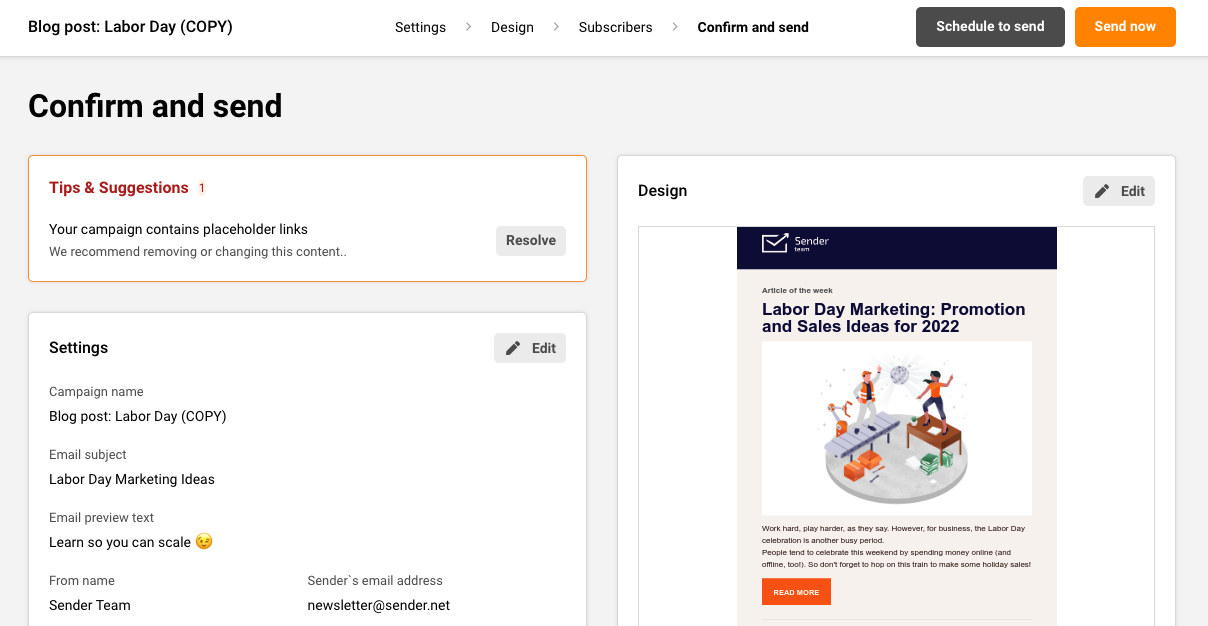
Campaign scheduling is done in the last step of campaign creation – when you’re done with campaign design, continue with the following steps until you reach the final stage.

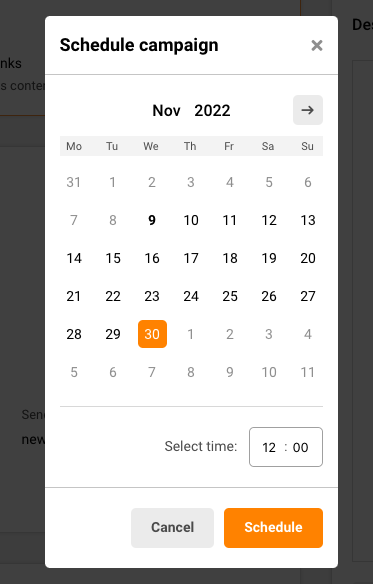
When the schedule button is clicked, a calendar will appear – pick a date and time on which the email will be delivered. Campaigns are sent according to your account’s timezone.

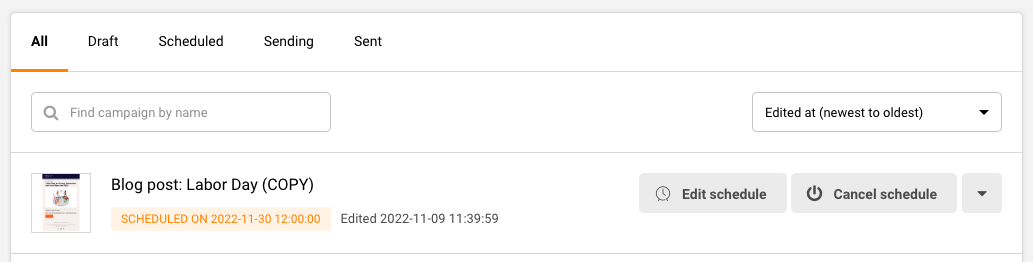
Scheduled newsletters appear in the campaign section with included delivery time.

Please note that any changes made to the subscribers’ composition of the group(s) you selected for the campaign will impact which subscribers receive the campaign. 

That’s it!

If you are stuck on a specific task or can’t find a way to execute a particular job, contact our support team via LiveChat or [email protected] – we’re here to help 24/7.

Premium capabilities Feels enterprise,
minus the price

All the features your business needs to acquire high-quality leads, grow sales, and maximize revenue from campaigns
using one simple dashboard.


Get Started For Free
shape 1
shape 2
shape 3
Sender logo
Product
Email marketing platformEmail marketingEmail automationBulk email senderEmail blast serviceNewsletter softwareText messaging serviceMarketing automationEmail templatesPricing
Features
Email campaignsDrag & drop email builderHTML email builderEmail A/B testingAudience segmentationEmail personalizationReports & AnalyticsLanding page builderAll features
Knowledge Base
Getting started with SenderGetting started with deliverabilityDomain authentication guideMarketing automation guideDrag & drop email builder guideIntegration guideSMS campaigns guidePayments & billingContact management guideGetting started with subscription forms
Support & Resources
Email marketing tipsHelp centerMigration serviceReport abuseTraining videosSender APIIntegrations
Company
Contact usAffiliate programTerms of serviceAnti-spam policyPrivacy policy
Get Started For Free
Trusted by 180,000 successful
businesses worldwide
Brand ratings
© 2012-2025 Sender.net
GDPR Compliant
ISO Certified
Secure Data Practices